 User Guide
Note contextual menu
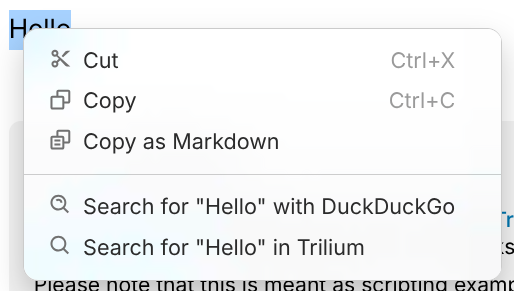
Right-clicking the content of some note types such as Text or Code reveals a contextual menu.
Features#
- On the Desktop Installation, the Spell Check suggestions are shown when right clicking on a misspelled word.
- The selected text can be searched either with a search engine (configured from Options) or inside Trilium.
- Basic clipboard functionality (cut, copy, paste).
- Copying the selected text as Markdown.
- Performing quick operations using the In-editor AI assistant.
Differences between desktop and web#
The web version behaves slightly different due to limitations imposed by web browsers:
- When no text is selected or a word is right-clicked, the browser's default contextual menu is displayed.
- This is intentional since it preserves the Spell Check functionality.
- When a text is selected, a reduced menu is displayed instead which features only the functionality that is available within the browser version
- Paste is not available since the browser doesn't expose it, use Ctrl+V instead.
- The browser menu can be triggered anyway by pressing Shift + Right click.