Save status indicator
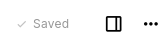 To the right of the note title, a temporary indicator appears after making a change to the document which shows whether the document has been saved.
It indicates the following states:
- Unsaved, if the changes will be saved soon.
- Saving, if the changes are being saved.
- Saved, if all the changes were successfully saved to the server.
- Error, if the changes could not be saved, for example due to a communication server with the server.
In a text note, the changes are saved once typing pauses for a second, and at least every ten seconds while typing continues.
After all changes have been saved, the indicator will hide automatically after a few seconds.