Note Hoisting
Hoisting is a standard outliner feature which allows you to focus on (or "zoom into") a specific note and its subtree by hiding all parent and sibling notes. Demo:
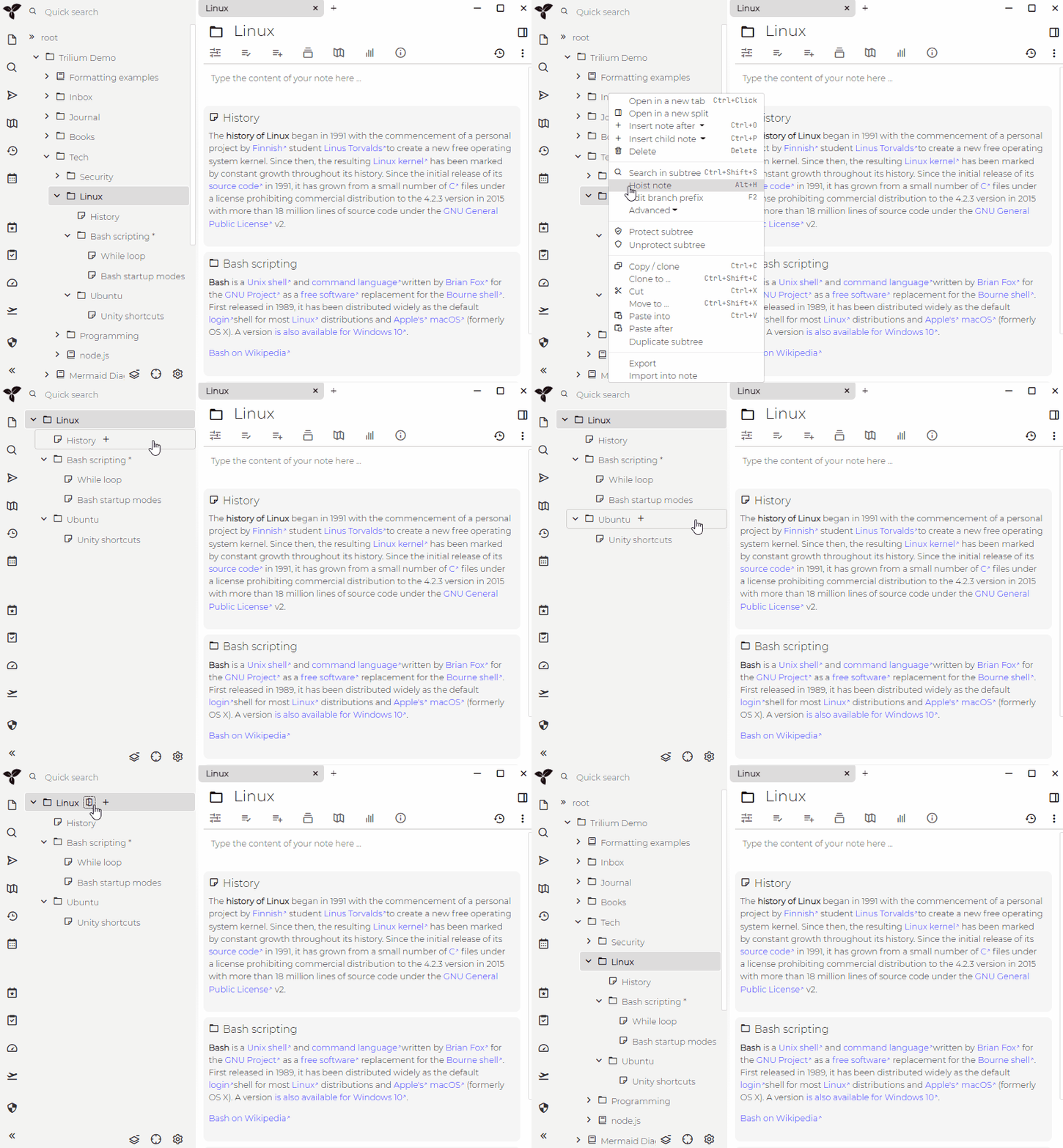
In addition to showing only this subtree, this also narrows both full text search and “jump to note” to just notes present in hoisted subtree.
Showing all notes again
While a note is hoisted, the desktop interface shows a Show all notes button with the icon above the Note Tree. Click it to unhoist the note and see the whole tree again.
On a phone, the back button at the top level of the hoisted tree turns into a button, followed by the hoisted note's title. Tap it to unhoist the note; the tree then shows the level holding the hoisted note, as one more step up.
See also Workspace which extends this feature.