Block quotes & admonitions
Block quotes
As the name suggests, block quotes can be useful to cite one or more paragraphs.
To create a block quote, press from the Formatting toolbar. It's also possible to type >, followed by a space to create one (but only if the cursor is at the beginning of a line).
Inside the quote block, other block items can be inserted such as tables, images, or even other block quotes or admonitions.
Admonitions
Admonitions are a way to highlight information to the reader. Other names for it include call-outs and info/warning/alert boxes.
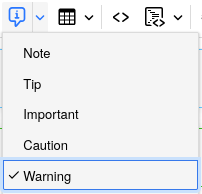
From a functional point of view, admonitions act very similarly to a block quote, just with different styling. This includes the ability to insert other elements in it such as headings, tables, images, etc.
Inserting a new admonition
In the Formatting toolbar:

It's possible to insert an admonition simply by typing:
!!! note!!! tip!!! important!!! caution!!! warning
In addition to that, it's also possible to type !!! followed by any text, case in which a default admonition type will appear (note) with the entered text inside it.
Interaction
By design, admonitions act very similar to block quotes.
- Selecting a text and pressing the admonition button will turn that text into an admonition.
- If selecting multiple admonitions, pressing the admonition button will automatically merge them into one.
Inside an admonition:
- Pressing Backspace while the admonition is empty will remove it.
- Pressing Enter will start a new paragraph. Pressing it twice will exit out of the admonition.
- Headings and other block content including tables can be inserted inside the admonition.
Types of admonitions
There are currently five types of admonitions: Note, Tip, Important, Caution, Warning.
These types were inspired by GitHub's support for this feature and there are currently no plans for adjusting it or allowing the user to customize them.
Markdown support
See Supported syntax.