 User Guide
Spreadsheets
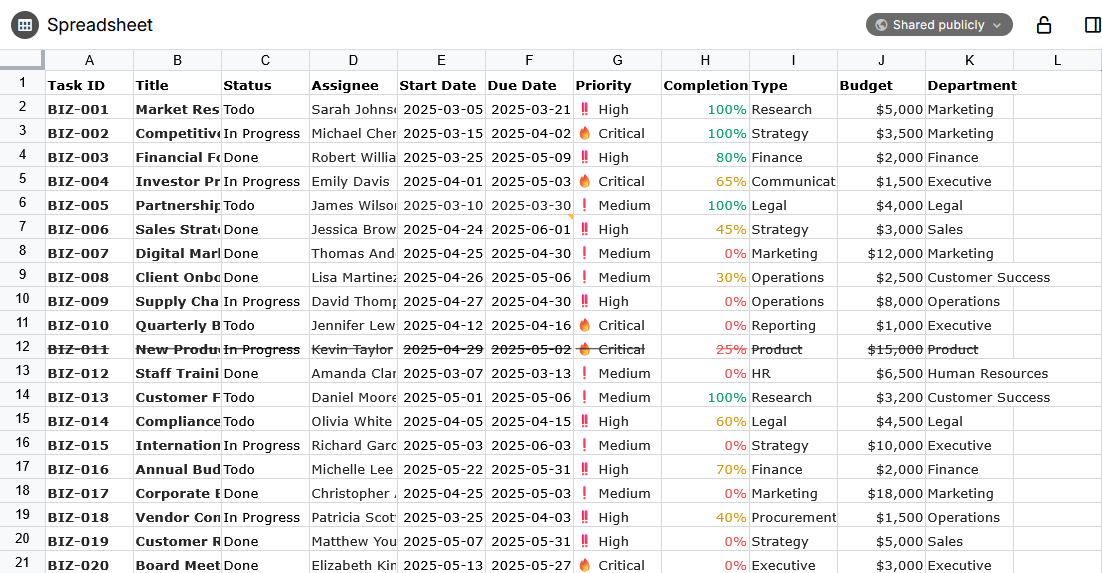
Spreadsheets provide a familiar experience to Microsoft Excel or LibreOffice Calc, with support for formulas, data validation and text formatting.
Spreadsheets vs. collections#
There is a slight overlap between spreadsheets and the Table collection. In general the table collection is useful to track meta-information about notes (for example a collection of people and their birthdays), whereas spreadsheets are quite useful for calculations since they support formulas.
Spreadsheets also benefit from a wider range of features such as data validation, formatting and can work on a relatively large dataset.
Data intercompatibility (import/export)#
Starting with v0.104.0, Trilium provides a level of data intercompatibility between the internal format (Univer) and the following formats:
- Microsoft Excel (.xlsx)
- Preserves basic formatting (fonts, sizes, borders, backgrounds).
- Formulas are preserved, but note that not all Excel functions are supported and vice-versa with Univer.
- Supports multi-sheets natively.
- Comma-Separated Values (.csv)
- Since it's a text-based format, any formatting is lost.
- Formulas are evaluated and turned into their final value instead.
- Multi-sheets spreadsheets are exported as a single ZIP containing a CSV file per sheet.
Both import and export are supported, as follows:
- To import a file, simply drag it into the Note Tree and it will be converted into a spreadsheet note.
- To avoid this behavior (e.g. to import a .xlsx file as an actual File), uncheck the corresponding option in the Import dialog.
- Multiple files can be imported at the same time, including a mixture of .csv and .xlsx files. Folder structure can be preserved by using a .zip file.
- Unlike importing, exporting is on a per-note basis:
- In the Note buttons, choose the Export to Excel or Export to CSV options for the New Layout.
- For the old layout, choose the corresponding buttons in the Floating buttons area.
- The export is intentionally a different process than the normal Import & Export functionality because it does conversion to multiple formats with varying degrees of compatibility.
Supported features#
The spreadsheet has support for the following features:
- Filtering
- Sorting
- Data validation
- Conditional formatting
- Notes / annotations
- Find / replace
We might consider adding other features from Univer at some point. If there is a particular feature that can be added easily, it can be discussed over GitHub Issues.
Share functionality#
Spreadsheets can be shared, case in which a best-effort HTML rendering of the spreadsheet is done:
- Preserves basic formatting.
- Since v0.104.0, properly formats numbers and dates.
- Cells with formulas display the i
For more advanced use cases, this will most likely not work as intended. Feel free to report issues, but keep in mind that we might not be able to have a complete feature parity with all the features of Univer.
Features not supported yet#
Regarding Pro features#
Univer spreadsheets also feature a Pro plan which adds quite a lot of functionality such as charts, printing, pivot tables, export, etc.
As the Pro plan needs a license, Trilium does not support any of the premium features. Theoretically, pro features can be used in trial mode with some limitations, we might explore this direction at some point.
Planned features#
There are a few features that are already planned but are not supported yet:
- Trilium-specific formulas (e.g. to obtain the title of a note).
- User-defined formulas
- Cross-workbook calculation
If you would like us to work on these features, consider supporting us.
Mobile support#
There is no dedicated mobile support.
Mobile support is currently experimental in Univer and when it becomes stable, we could potentially integrate it into Trilium as well.